Vision
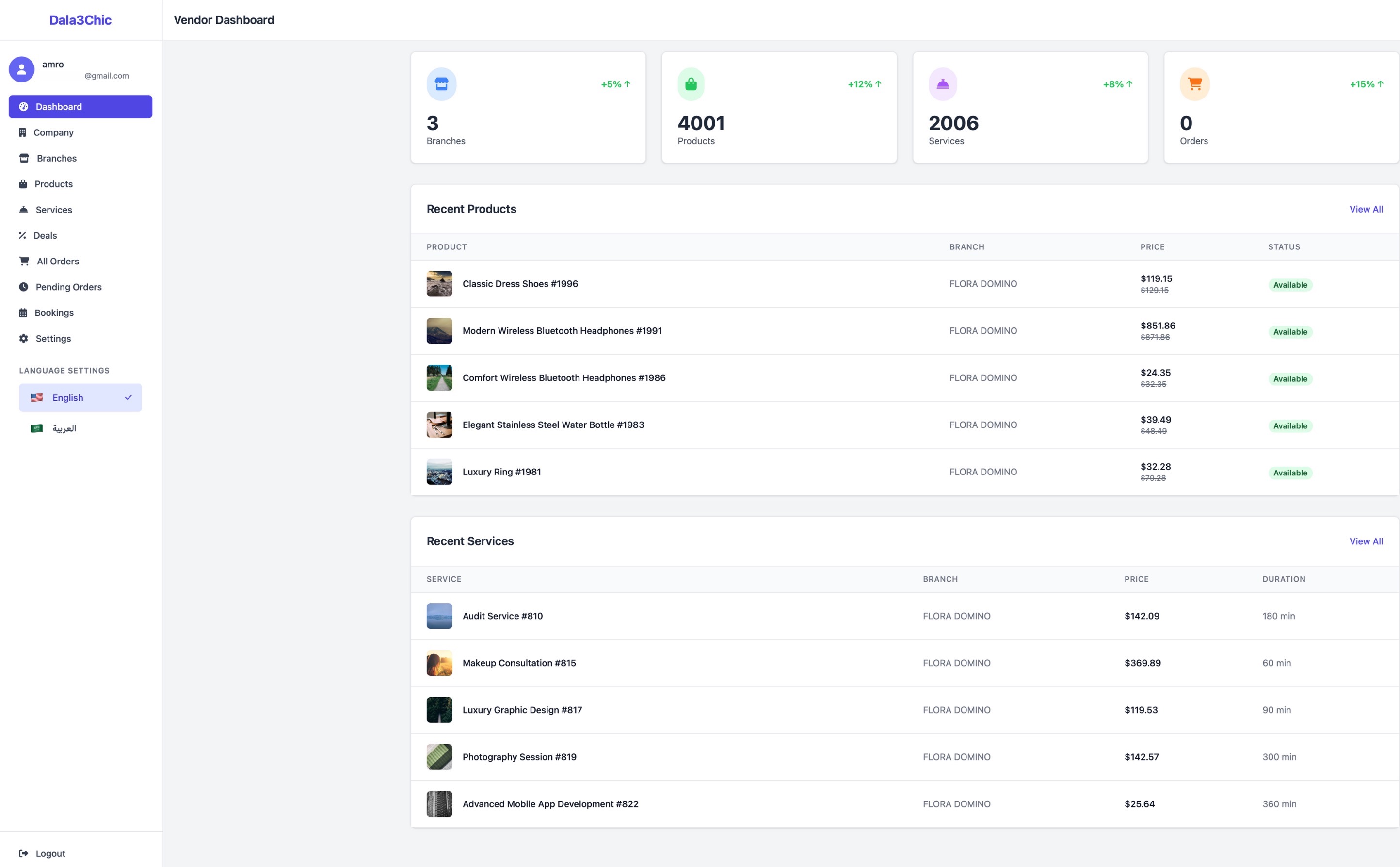
Optimize your business with Dala3Chic Vendor, a platform that empowers you to sell and manage your inventory with ease. Control your branches, track your revenue and reach customers all over the United Arab Emirates with our comprehensive vendor management system.
Features
Our Vendor Package includes a company-branch management system that makes it easy to administer all your branches. We handle product transportation on your behalf, and the package also provides internal user management so you can assign and control who manages products and who provides services
What you will get
01
Nationwide, door-to-door delivery at no extra cost — reach customers in every emirate with complimentary delivery that removes the logistics headache and helps you compete on convenience.
02
Flexible fulfilment choices — offer home delivery, in-store pickup, or scheduled service visits so your customers can buy the way they want.
03
Promotions & visibility tools — built-in features to run discounts, highlight bestsellers, and appear in local discovery so new customers can find you faster.
04
Easy inventory & order management — add, update, and track products and bookings in real time from a clean, intuitive dashboard so you always know what's in stock and what's selling.
05
A branch management system designed to give you centralized control over all your locations. From a single dashboard you can add, configure, and organize branches, monitor real-time stock levels and inventory movements for each branch independently.
06
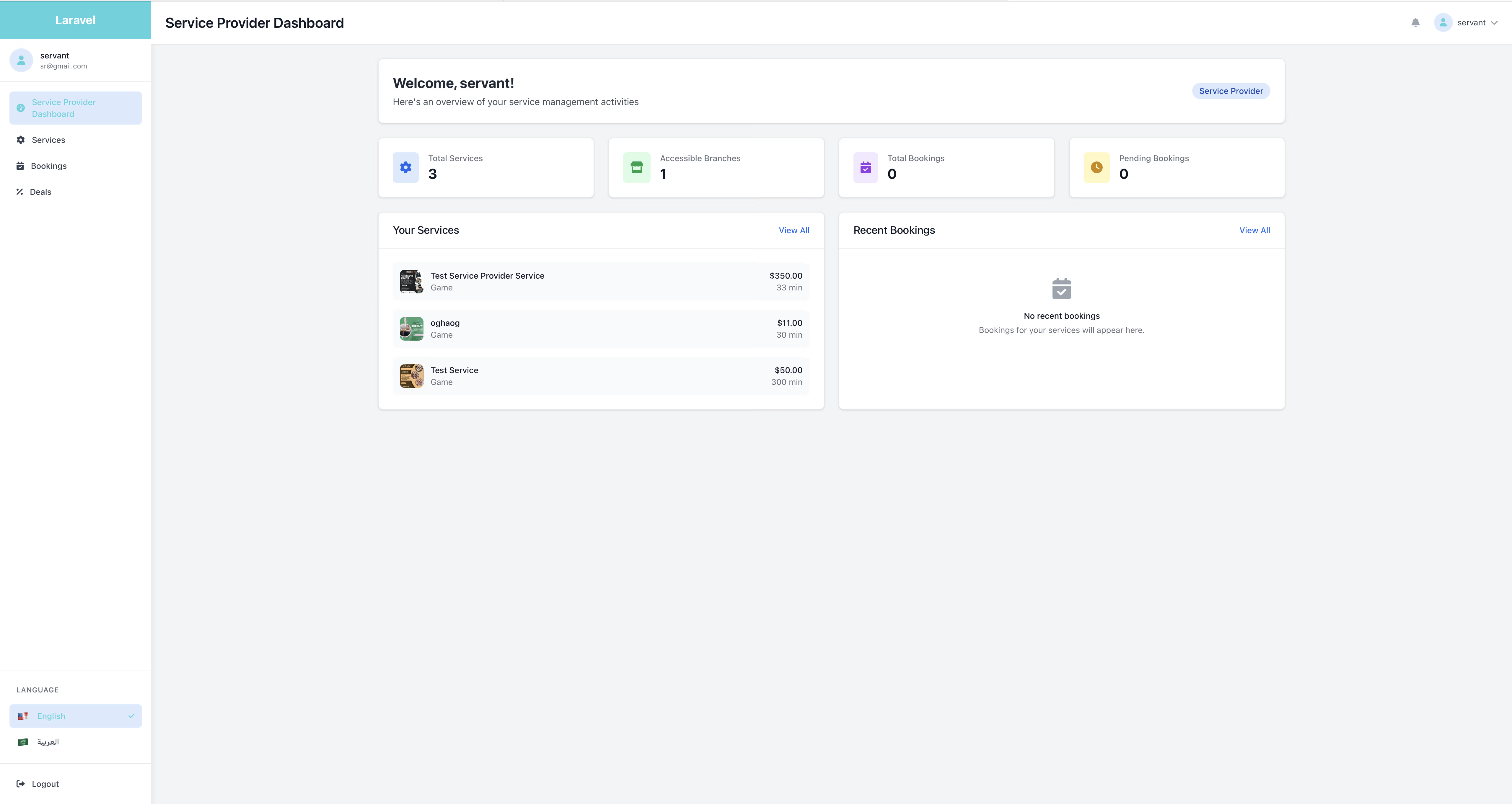
Branch level user control | assign service providers to specific branches to deliver services. Service provider can add, update, or remove services , and you can control whether each provider has access to a single branch or multiple branches.
07
Company level user control | the Product Manager is responsible for the end-to-end management of your company’s product catalog and inventory. This role includes creating and maintaining accurate product records (descriptions, images, variants, pricing), monitoring and reconciling stock levels across branches, and coordinating status changes such for customers orders.

Dashboard

Our Merchant dashboard is offering off-the-shelf features customized for individual Merchant.
Easy manage your stock, add products, add services update order status, print invoices, and more.

Free Delivery

Make it possible to reach all customers all over the United Arab Emirates.
Our thirty-party services allow to ship your products faster and expand your business geographically.

Deals

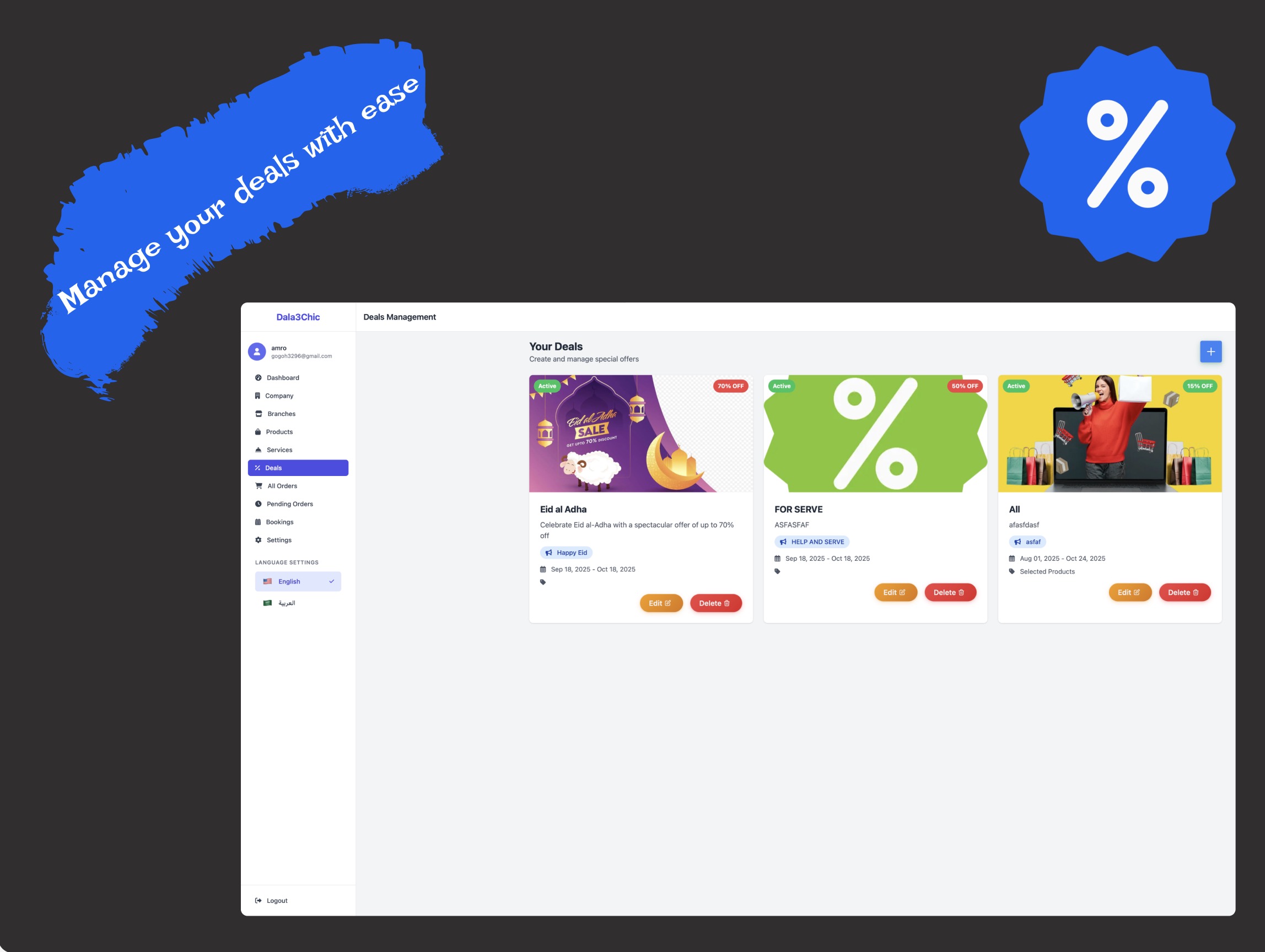
Add and manage your offers easily and quickly with the merchant dashboard to grow you customers satisfaction.
Set deal's percentage, timespan, specific products and services.

Branch Management

Easily manage your branches with the Dala3Chic Vendor Dashboard.
monitor branch-level stock, services, orders, and bookings from a single, intuitive interface.

Service Provider

Easily designate an individual to serve customers at a given branch , update, or remove provider profiles.
control whether they have access to a single branch or multiple locations.

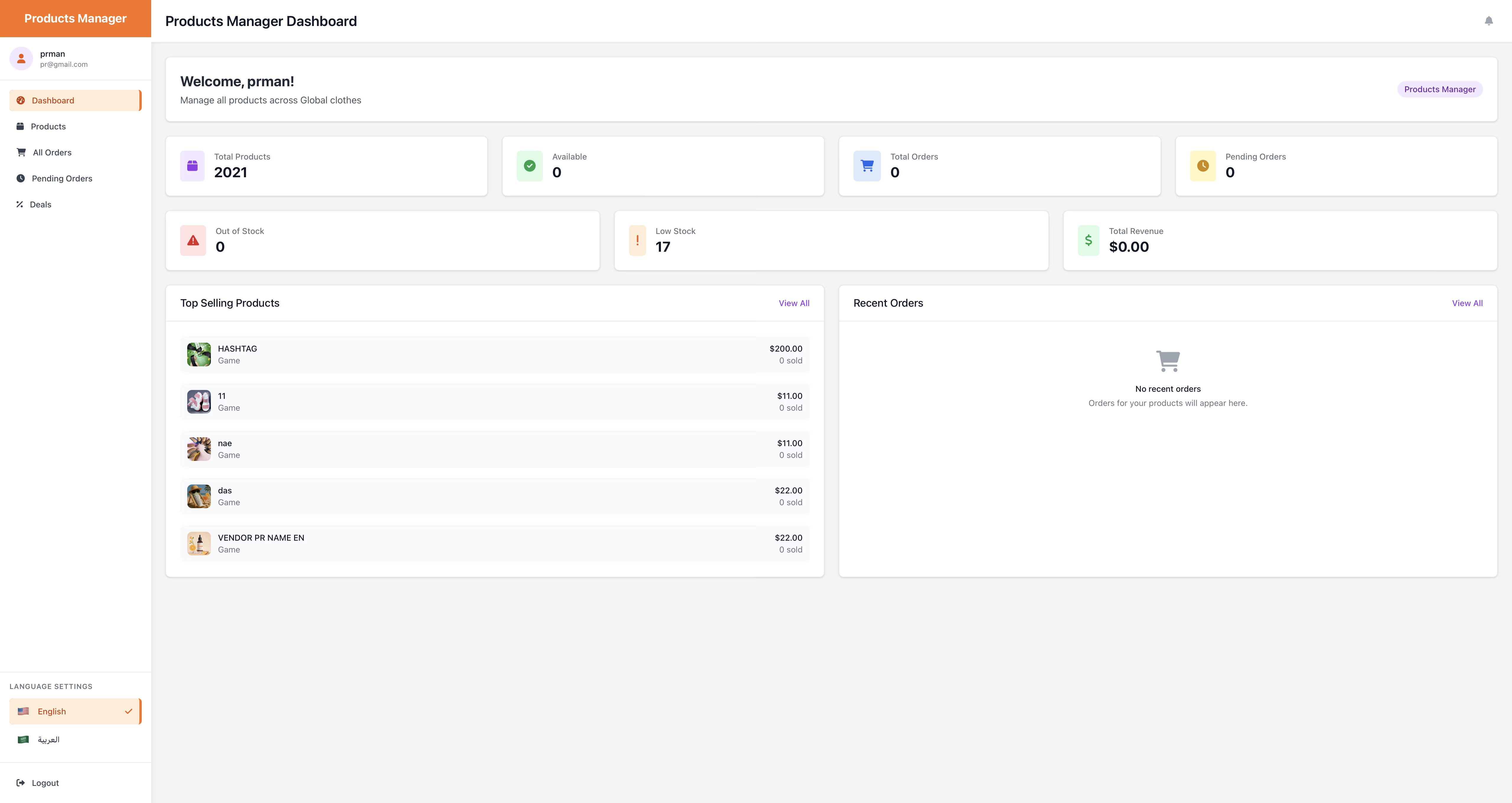
Product Manager
The Product Manager has full product control across all branches they can create, modify, and delete product listings.
This role also includes updating order statuses throughout the fulfillment lifecycle.
Reach customers with your discounts
Deals and Discounts
Easily manage and add deals and discounts for the selected products or services within your customised timespan
Payment
Receive your payments securely and promptly. Funds from each transaction are transferred directly to your registered bank account, and we supply comprehensive revenue analysis and reporting so you can easily track performance and growth.
Dashboard Usage
1 / Branch creation
From dashboard's sidebar click on Branches tap then click on "Add Branch" button.
You should enter these information in order to create branch:
- Branch Name
- Select Company
- Business type (e.g., Saloon, CLothes store, etc.)
- Phone Number
- Email Address
- Description (optional)
- Select the Emirate and pick address from the Map
- Status is Active by default
- Pick an image or leave it as the default company's image
- Set the working hours and days
On the Branch Licence section do the following:
- Set the start date of the license
- Set the end date of the license
- Upload an associated PDF doucment for the license
2 / Product creation
From dashboard's sidebar click on products tap then click on "Add new product" button.
You should enter these required information in order to create product:
- Name (English & Arabic)
- Category
- Branch
- Price (the real price that will appear to customers)
- Original Price (the price that will be shown with strikethrough style, normally bigger than the price)
- Stock (the product will be out-stock if the stock value equal to zero)
- Description optional but if you enter it you should write both Arabic and English versions
On the colours and images tap you should enter the following:
- Select at least one colour for the product
- Enter the stock for that colour
- Add one associated image for the colour, you should upload a high-quality image
- Enter all sizes that apply to this colour option
- Specifications section is optional
3 / Service creation
From dashboard's sidebar click on services tap then click on "Add new service" button.
Then enter the following service information:
- Name (English & Arabic)
- Category
- Branch
- Price
- Duration (should be in minutes)
- Image select a clear one that follow our rules and recommendations
- Available (on default true)
- Home Service (on default false check it to make the service available at customer home)
- Description optional but if you enter it you should write both Arabic and English versions
4 / Deals creation
From dashboard's sidebar click on services tap then click on "create deal" or the plus button.
After deal creation page opens enter the related deal information:
- Title (English & Arabic)
- Discount Percentage (1-100%) the percentage deducted from the price
- Description (Optional: If you enter a description in one language, you must enter it in both languages)
- Promotional Message
- Start Date when the deal will be applied to the items
- End Date after this date all products/services will be reset to their normal price
- Deal image
- Deal Status can be either active or inactive
- Select the product/services that you want to apply deal to
Service Provider Management
Service Provider Creation
In order to create service provider you should go to the settings tab then click on service providers.
then from the service proivder management page click on "Add Service Provider" Button and enter the following information:
- Service Provider Name
- Email Address
- Phone Number
- Password
- Select the Branch for the service provider
- Select existant services to allow provider manage it (optional)
Privileges
Products Manager Management
Products Manager Creation
In order to create products manager you should go to the settings tab then click on products managers.
then from the products managers management page click on "Add Products Manager" Button and enter the following information:
- Products Manager Name
- Email Address
- Phone Number
- Password
-
Important Note
The products manager will have access to all products within your company.